Order From Anywhere
Your menu, your brand — on every screen. Customers order through a responsive website and native iOS & Android apps that all stay in sync.
Your customers order from an app with your name on it, on iOS, Android and the web. Devfood connects it to the restaurant, driver and admin apps that run delivery and pickup — for a monthly fee per location and zero commission on orders.
0%
Commission on orders
Flat monthly fee per location
15
Integrations
Clover, Square & Toast · Stripe, Finix & Paytrail
75+
Built-in reports
Every one named on /reports — CSV export
100+
Countries supported
9 published local currencies
A white-label food delivery app is delivery and ordering software published under your brand instead of the vendor's: a customer app for ordering, a driver app for whoever delivers, and the dispatch and tracking that connect them. You pay a software fee; nobody takes a percentage of the order.
Devfood is that, for restaurants, cloud kitchens and franchises: a flat monthly fee per location, web ordering usually live about 10 business days after we have your menu, payment access and domain, and your branded apps 2–3 weeks after the app stores approve them.
Transform your restaurant's digital presence in days, not months — our team handles the heavy lifting
Book a live demo, share your menu and payment setup, and let the onboarding team prepare your store. We confirm the requirements and launch schedule with you before setup.
Upload your logo, set brand colors, and configure your complete menu. Our intuitive interface makes customization simple and powerful.
Confirm your menu, payment setup and test orders before launching web ordering. Native apps follow their app-store review schedules; we confirm your rollout during onboarding.
Personalized Onboarding
One-on-one guidance through setup and customization
Menu Optimization
Expert help with menu structure and pricing strategies
Direct Technical Support
Fast answers from the engineers who built the platform
Follow one order through the customer app, the restaurant, the driver and the dashboard — four white-label apps under your name, working as one.
Want to jump to one part, or read it instead? See every chapter and the full transcript
Short on time? Watch the 25-second version on YouTube (opens in a new tab) .
Hand-built illustrations on a fictional demo brand — not screenshots of a live account. The same order moves through all three in real time.
Customer app
Browse, order and pay in an app that carries your name — on web, iOS and Android, with no aggregator in between.
Admin dashboard
Outlets, menus, payments and promotions across every location, with reporting you can export.
Restaurant app
Accept, prepare and hand off orders from a tablet or phone behind the counter, with printing built in.
From branded apps to live tracking, loyalty, and payments — Devfood replaces a whole stack of tools with one platform you control.
Your menu, your brand — on every screen. Customers order through a responsive website and native iOS & Android apps that all stay in sync.
A live command centre for your kitchen. Accept orders, edit the menu, and manage every outlet from one screen, updated in real time.
Phone and email sign-in help identify customers and reduce anonymous orders. Configure the verification methods that suit your business.
Customers watch their order move on the map in real time, while you dispatch and monitor every delivery from the dashboard.
Turn first-time buyers into regulars. Reward every order with cashback and points that bring customers back to your apps.
Let customers pay however they like — cards, wallets, net banking, or cash on delivery — through secure, trusted gateways.
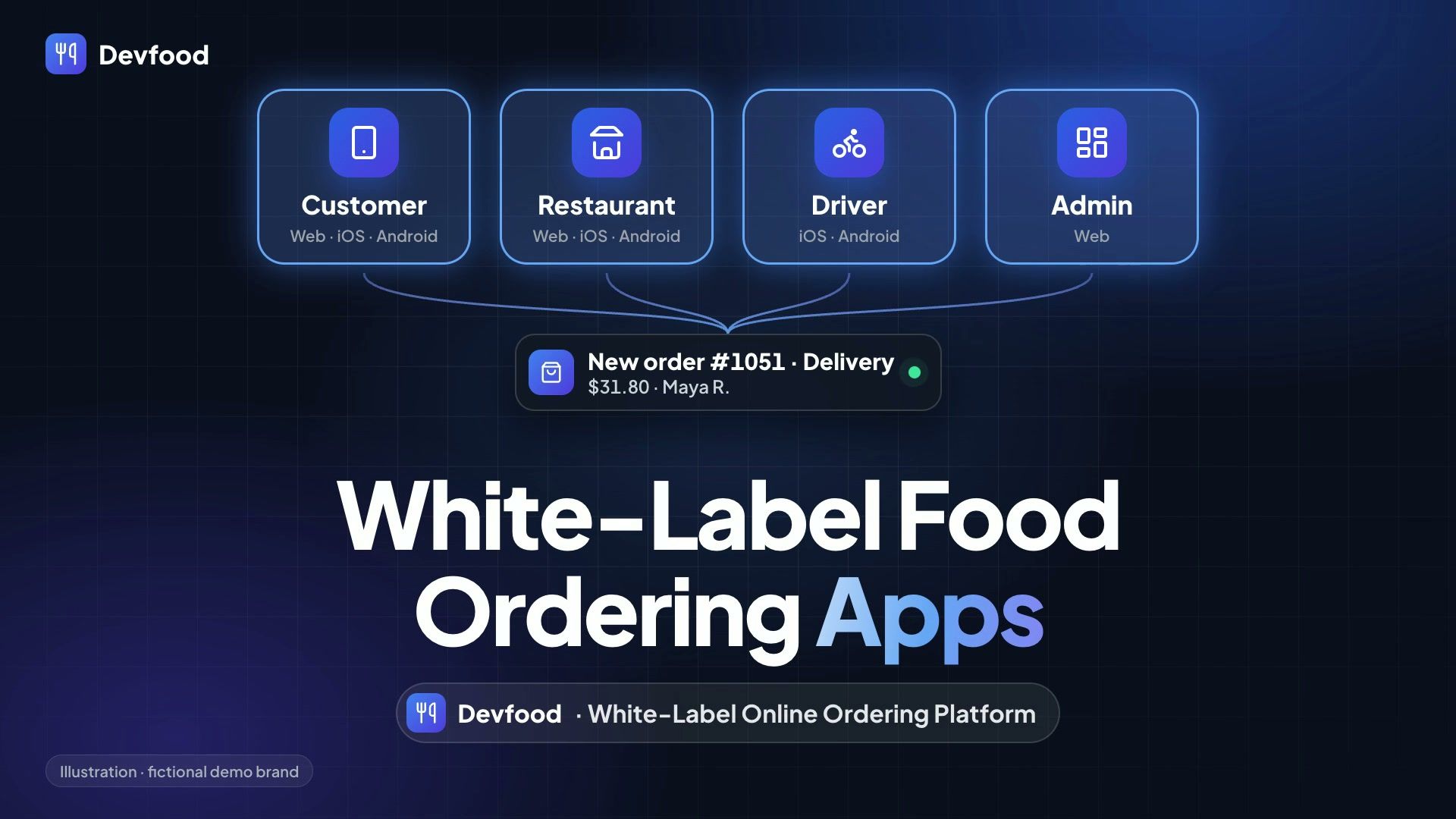
Customers order in your customer app, your outlet runs service in the restaurant app, riders deliver from the driver app, and you run it all from the admin dashboard — every app sharing the same real-time data.
Web · iOS · Android
A fast, branded ordering experience your customers will actually want to use — browse, order, pay, and track without ever touching an aggregator.
Web · iOS · Android
Everything your outlet staff need to run service — accept orders, manage the menu, and print tickets, from a tablet or phone behind the counter.
iOS · Android
Put your own delivery fleet on the road. Drivers get assignments, navigation, and a simple flow to mark each step of the delivery.
Web
The control room for your whole operation — outlets, menus, payments, promotions, and analytics, all in one secure web dashboard.
A driver app with live GPS, dispatch that can assign jobs without a human deciding, and courier networks for the nights your own fleet cannot cover.
Put your own delivery fleet on the road. Drivers get assignments, navigation, and a simple flow to mark each step of the delivery.
Courier networks connected today: DoorDash Drive, Uber Direct, Shipday, Nash. Each charges its own per-delivery rate directly to you — every connection is named here.
This is the test most "white-label" offers fail. If the iOS and Android apps sit in the vendor's App Store and Play accounts, your listing, your reviews and your users move when the vendor decides they do. On Devfood you hold the developer accounts — Apple bills its own annual membership directly to you, because it is Apple's fee and not ours.
That is one of six tests a white-label app has to pass. Read all six.
The base plan is four connected apps for online ordering. Add POS, kitchen display, kiosk, captain handheld, or in-store loyalty when you need them — same menu, same price book, one customer balance.
Front of house
Take counter and phone orders on the same menu and price book as online. Split tender, table service, cash drawer, receipt and kitchen printing.
Kitchen
Tickets go straight to the pass with prep timers, course firing and bump-bar flow. No printer to jam, no ticket to lose.
Lobby
Unattended ordering with upsells, tips and card-present payment — on the same menu and price book as everything else.
Floor service
Waitstaff take orders at the table, fire rounds to the kitchen, and see what is plated — settlement stays on the register.
Counter
In-store rewards, wallet, memberships and vouchers on a counter tablet — showing the same balance the customer sees in the app.
Optional modules are quoted separately from the base subscription. They run on hardware you buy yourself: Android tablets, a kitchen screen, Bluetooth or cloud receipt printers, a cash drawer, and a card terminal from your own payment provider. The add-ons published on the pricing page are App Store Optimization and Priority Support; the counter and floor modules are quoted on a demo.
Illustrative US example: $20,000 in monthly orders at a 30% marketplace commission means $6,000 in commission. Compare that with one location’s base subscription before accounting for the other costs of running a direct channel.
Base subscription per location, US
$79 flat
Commission on $20k at 30%
$6,000
This compares subscription and commission only, not total operating cost or guaranteed savings. Payment processing, delivery, customer acquisition, taxes, setup and optional services may cost extra. Marketplace fees and included services vary by provider, market and contract. Check the full pricing and inclusions.
Those are the numbers on a $20,000 month. Put your own revenue and your own commission rate through the savings calculator, or read how the break-even is worked out if you would rather see the arithmetic than move a slider.
Three ways to take orders online under some version of your name, and what each one costs you.
| Question | Marketplace app | Custom build | White-label app (Devfood) |
|---|---|---|---|
| Who owns the app listing | The marketplace | You | You — published under your own developer accounts |
| Who owns the customer list | The marketplace keeps the relationship | You | You, exportable to CSV |
| Cost per order | A commission, commonly 15–30% | None | None — a flat monthly fee per location |
| Upfront cost | None | A one-off development budget, then maintenance | A setup fee, waived on annual billing |
| Time to launch | Days | Months | Web in about 10 business days; apps 2–3 weeks after store approval |
| Brings you new customers | Yes — that is what the commission buys | No | No — it keeps the customers you already have |
Most restaurants run a marketplace for discovery and their own app for the regulars.
Works with your stack
Delivery, takeaway, dine-in, food courts, franchises, or in-store QR ordering — Devfood adapts to how you actually operate.
Own your delivery business end to end
Run your own delivery operation instead of handing margin to aggregators. Define zones, dispatch your fleet, and let customers track every order live.
Skip the queue, lift your throughput
Let customers order ahead and collect without waiting. Pickup scheduling and ready-now notifications keep your counter moving at peak times.
Turn tables faster with self-service
Let guests scan, order, and pay from the table. Staff can manage table service through the optional POS and captain modules.
Many kitchens, one checkout
Run several kitchens under one roof and one brand. Customers browse every counter and check out once; you see the whole site in a single dashboard.
Scale cleanly across every location
Manage a growing chain from one dashboard. Push a central menu, override pricing per outlet, and roll up performance across the whole network.
Contactless ordering at the table
Put a QR code on every table or counter. Guests order and pay from their own phone while your menu updates in real time behind the scenes.
One powerful platform, transparent pricing, available in your local currency
$299 setup on monthly billing · included on annual plans
Unlimited orders and zero commission at every location. It gets cheaper as you grow: $69 per location from your fourth site, $59 from your tenth.
Four connected apps at every location. POS, kitchen display, kiosk, captain handheld and in-store loyalty are optional add-ons — ask us when you need them.
App Store and Google Play publishing under your brand, domain and SSL, menu import and go-live QA. $299 one-time on monthly billing; included when you pay annually.
Book a Demo* Prices are set per market, not converted from US dollars — a location in India pays ₹2,100 a month, not $79 at the day's exchange rate. Local taxes may apply.
Explore the capabilities below in a live demo, and confirm the modules and integrations for your business
0%
Commission, ever
A flat monthly fee per location — you keep every order
3
POS integrations
Clover, Square, and Toast — two-way order sync
4
Delivery networks
DoorDash Drive, Uber Direct, Shipday, and Nash
4
Order types built in
Delivery, pickup, QR dine-in, and scheduled orders
Nine markets, three location bands, one plan — every figure on /pricing is a real local price, not a conversion, and the band reasoning is written next to it.
Read the pricingFuture Stacks builds and operates Devfood. Our sister company Devkart operates Supaorder for restaurant brands and SuperApp for marketplace operators, with separate pricing and contracts.
Visit futurestacks.comWhat a white-label food delivery app is, what it costs, how long it takes, and when it is the wrong choice.
Delivery and ordering software sold under your own brand rather than the vendor's: a customer app in your name for ordering, a driver app for whoever delivers, a restaurant app for the counter, and an admin side that assigns and tracks every job. The customer sees your brand end to end, and you pay a software fee instead of a commission on every order.
A flat monthly fee per location, set for the market you trade in, with no per-order cut at any tier. Third parties bill you separately for what they provide: an Apple Developer membership, mapping API usage for addresses and tracking, SMS verification, and your payment gateway's transaction fees. Courier networks charge their own per-delivery rate when you use them.
Web ordering is usually live about 10 business days after we have your menu, payment access and domain. Your branded iOS and Android apps follow 2–3 weeks after Apple and Google approve them. We do the build and the store submission, and confirm the schedule during onboarding.
Yes. The customer, restaurant and driver apps are published under your developer accounts, so the listing, the reviews and the users stay with you. Payments settle into your own merchant account, and the customer list exports to CSV.
No, and you can change your mind later. Devfood connects to 4 on-demand courier networks — DoorDash Drive, Uber Direct, Shipday, Nash — so a delivery can go to your own rider, to a courier network, or to whichever is available when the order lands. Pickup and dine-in work on the same platform if you do not deliver at all.
Auto-dispatch scores the available drivers on distance to the pickup and how many jobs each is already carrying, then offers the job to the best-scoring one with a timeout before it moves to the next. A dispatcher can override any of it from the admin panel, and you can run the whole thing manually if you would rather.
When you need to be discovered by people who have never heard of you: a marketplace does that and this does not. It is also the wrong product if you are building a marketplace with many restaurants on it rather than running your own brand. What it does is stop you renting your own regulars back at a commission on every order.
Still have questions? Contact our support team, or see the full price list in every currency we bill in.
Coming off GloriaFood before it closes on 30 April 2027? Here is the migration path.
Still working out what "white-label" is supposed to mean? The six tests it has to pass.
See Devfood in action with a free, no-pressure demo. We'll show you exactly how your branded apps will look and answer every question — usually within one business day.
Free demo · No commission · No minimum contract